> ## Documentation Index
> Fetch the complete documentation index at: https://docs.aion.to/llms.txt
> Use this file to discover all available pages before exploring further.
# Behavior Ions
> How Behavior Ions control application work as configured participants in runtime Sequences.
A **Behavior Ion** controls how work is interpreted, transformed, or answered inside a
[Sequence](/docs/concepts/ions#ions-and-sequences).
Think of a Behavior Ion as a reusable step in the application's flow. One can enforce policy, enrich a request, call
another service, or produce a response. The same Behavior Ion can participate in more than one Sequence.
## How Behavior Ions shape a Sequence
```mermaid actions={false} theme={null}
flowchart LR
D["Slack
Distribution Ion"] --> P["Policy
Behavior Ion"]
P --> S["Support
Behavior Ion · terminal position"]
```
Here, each Behavior Ion has one clear responsibility:
* **Policy** checks whether the request should continue.
* **Support** performs the requested work and produces the response.
Composer connections determine which Behavior Ions participate in the Sequence and the order in which they run. A
Behavior Ion does not choose between alternative Ion targets. It can appear at any position in a Sequence, and the
Behavior Ion in the terminal position handles the final step. **Terminal** describes its position in that flow, not
a separate Ion category.
## Configure a Behavior Ion
When you add a Behavior Ion in Composer, you choose an implementation made available by a
[Deployment Ion](/docs/concepts/deployment-ions) and configure how it should run in this Project.
The inspector separates that configuration into four areas:
| Inspector area | What you configure |
| -------------- | ------------------------------------------------------------------------------------------------ |
| Identity | The Daemon Identity used for internal work and any accounts required by individual capabilities. |
| Configuration | Agent runtime settings and any configurable fields declared by other capabilities. |
| Capabilities | Which supported agent, MCP, or event surfaces are enabled and how each one is configured. |
| Settings | Whether the Behavior Ion follows the Deployment's Stable or Beta release. |
The **Info** tab provides a read-only summary of the resolved Behavior, release channel, capabilities, and current
status.
### Identity
Most Behavior Ions use an optional [Daemon Identity](/docs/concepts/identities#daemon-identities) when their runtime
needs to call another Aion, access an MCP server, invoke a model, or use another protected resource. Aion uses this
Identity for permission checks, billing attribution, and audit context.
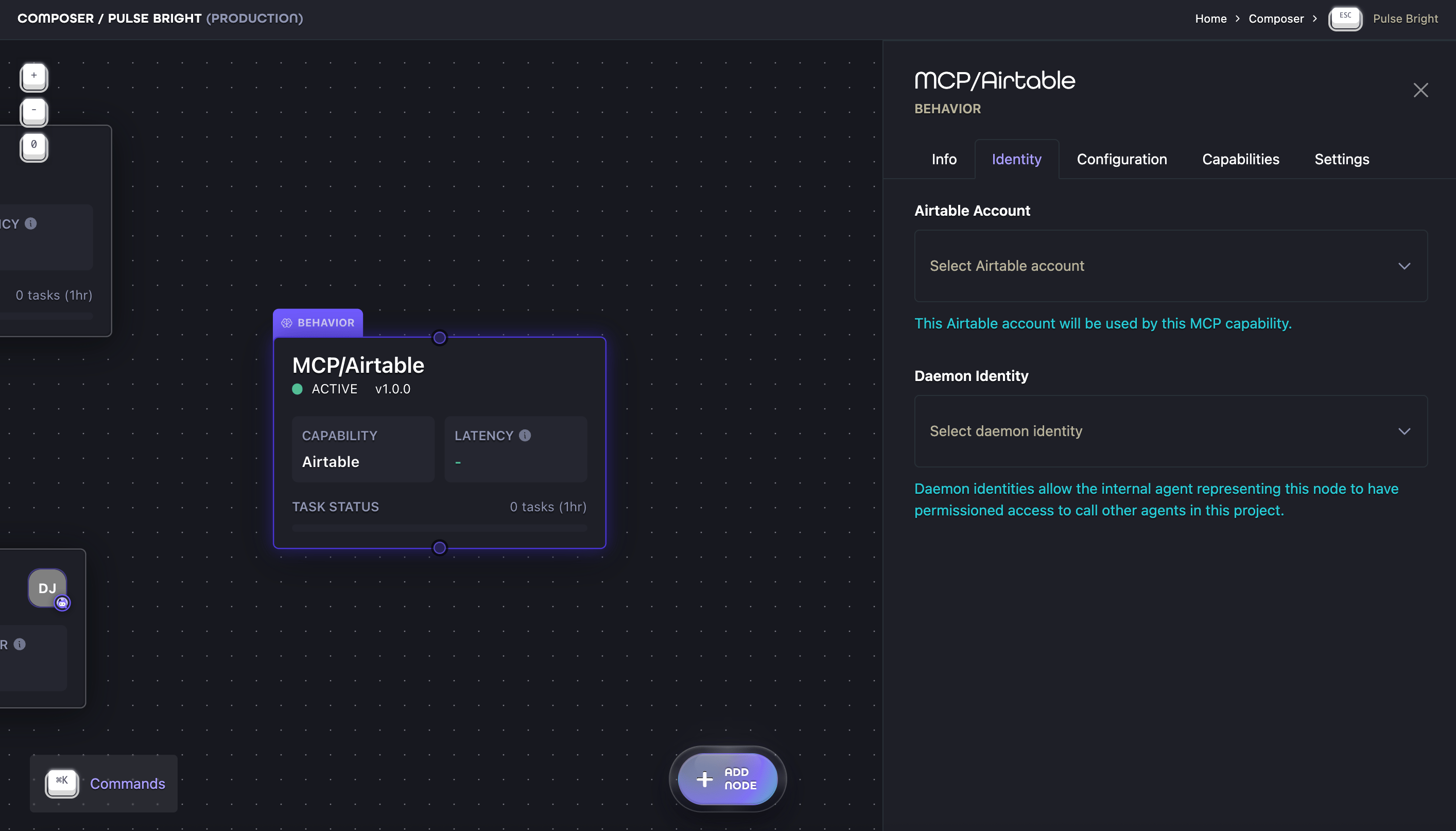
Some MCP capabilities also require an account for the external system they access. When one does, the Identity tab
shows a separate account selector for that capability. This service Identity authenticates the capability; it does
not replace the Daemon Identity used by the configured runtime during internal work.
The Airtable example below separates both roles in one place: the Airtable account authenticates the MCP capability,
while the Daemon Identity acts as the runtime's internal principal.
 The Aion Identity belongs to the application boundary and is assigned to Distribution Ions. It is not configured on
each Behavior Ion.
### Agent-specific configuration
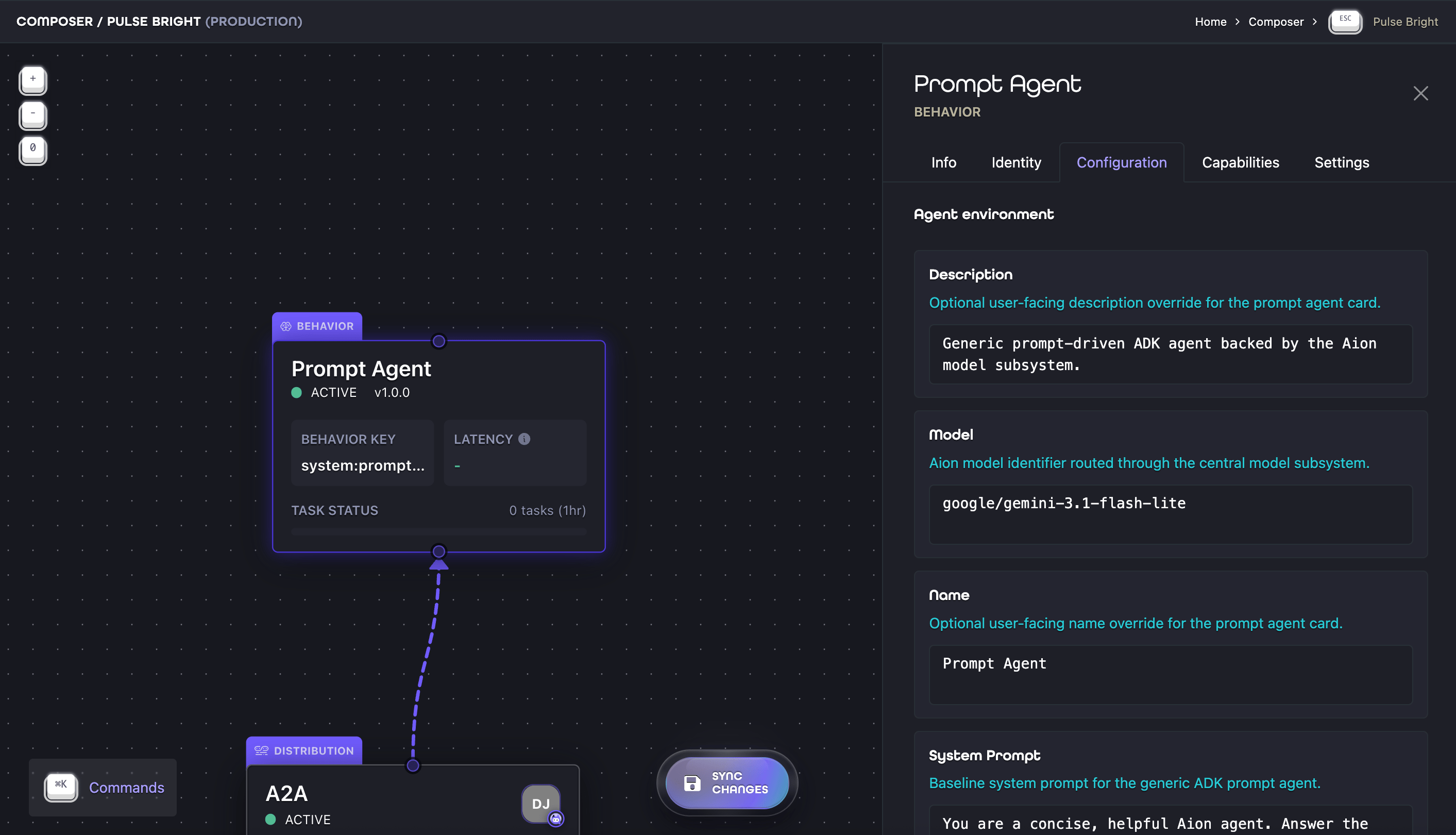
Under **Agent environment**, the Configuration tab shows fields that configure the agent runtime. The implementation
defines those fields, so they vary by Behavior Ion. Use them to supply values such as instructions, limits, or
provider settings.
For example, the Prompt Agent Behavior Ion provides fields for its model, name, description, and system prompt:
The Aion Identity belongs to the application boundary and is assigned to Distribution Ions. It is not configured on
each Behavior Ion.
### Agent-specific configuration
Under **Agent environment**, the Configuration tab shows fields that configure the agent runtime. The implementation
defines those fields, so they vary by Behavior Ion. Use them to supply values such as instructions, limits, or
provider settings.
For example, the Prompt Agent Behavior Ion provides fields for its model, name, description, and system prompt:
 Other capabilities can declare their own configurable fields. An MCP capability, for example, may add another
section to the Configuration tab. Its fields may also appear when you expand that capability's row in the
Capabilities tab.
Authentication remains in the Identity tab. Use the Capabilities tab to enable or disable capabilities, choose a
primary capability, and open any capability-specific settings.
### Capabilities
The implementation declares the agent, MCP, and event capabilities it supports. In the Capabilities tab, you can:
* enable or disable a supported capability
* choose the primary capability when the implementation declares more than one of the same kind
* inspect which capabilities still require configuration or authentication
An enabled capability that requires an account is not ready until that connection is configured. See
[Capabilities](/docs/concepts/ions#capabilities) for the shared model.
## Versions and release channels
A Behavior Ion follows a release channel, not a fixed version. The Deployment Ion owns the available versions and
marks which one is Stable and which one is Beta. The Behavior Ion's Settings tab selects which channel to follow.
Other capabilities can declare their own configurable fields. An MCP capability, for example, may add another
section to the Configuration tab. Its fields may also appear when you expand that capability's row in the
Capabilities tab.
Authentication remains in the Identity tab. Use the Capabilities tab to enable or disable capabilities, choose a
primary capability, and open any capability-specific settings.
### Capabilities
The implementation declares the agent, MCP, and event capabilities it supports. In the Capabilities tab, you can:
* enable or disable a supported capability
* choose the primary capability when the implementation declares more than one of the same kind
* inspect which capabilities still require configuration or authentication
An enabled capability that requires an account is not ready until that connection is configured. See
[Capabilities](/docs/concepts/ions#capabilities) for the shared model.
## Versions and release channels
A Behavior Ion follows a release channel, not a fixed version. The Deployment Ion owns the available versions and
marks which one is Stable and which one is Beta. The Behavior Ion's Settings tab selects which channel to follow.
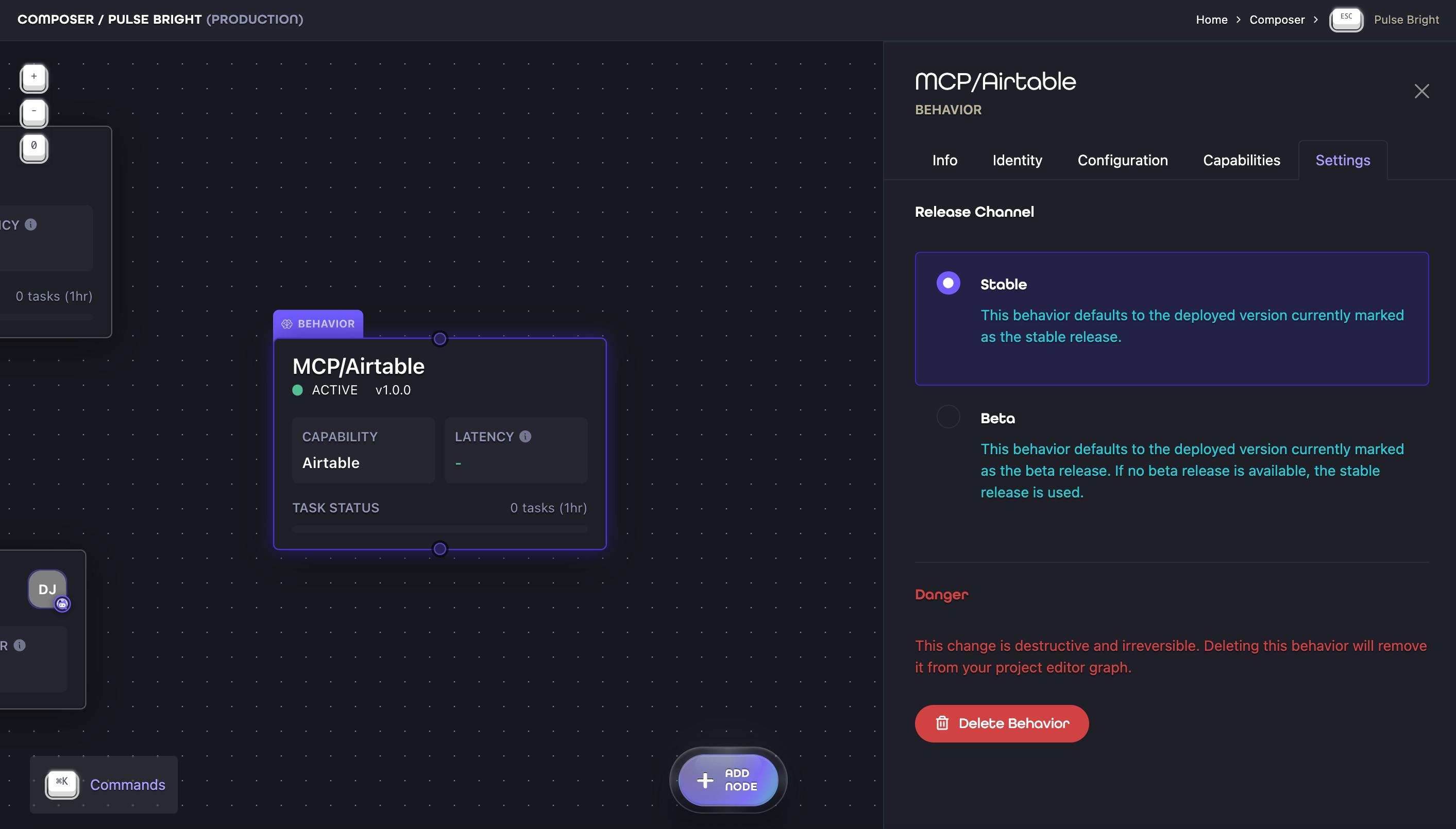 | Behavior Ion selection | Version used from its Deployment Ion |
| ---------------------- | ------------------------------------------------------------------------------------------- |
| Stable | The version currently marked Stable. |
| Beta | The version currently marked Beta, or the Stable version when no Beta version is available. |
When a different version is promoted to the selected channel, the Behavior Ion resolves to the corresponding
implementation in that version without being recreated or reconnected in Composer. This lets you move an
implementation from Beta to Stable while keeping the Project graph unchanged.
The selected version must still provide the same registered implementation. If it does not, the Behavior Ion cannot
resolve and the Info tab reports that the Behavior is unavailable. Promote a compatible version or choose another
Behavior Ion to restore it.
See [Versions and release channels](/docs/concepts/deployment-ions#versions-and-release-channels) to learn how
Deployment Ions manage the versions behind these selections.
## Execution Scope and Identity
A Behavior Ion can participate in externally initiated work without becoming a public endpoint. Requests enter and
return through a [Distribution Ion](/docs/concepts/distribution-ions).
When the agent runtime associated with a Behavior Ion performs internal work outside a request flow initiated by a
Distribution Ion, it can act under its own Daemon Identity. Aion attributes the work to that Identity and uses it for
permission checks, billing, and audit context.
A Daemon Identity is required when the runtime needs to communicate with other Aions in the same Project. It is the
authorization principal Aion uses to determine what the runtime may access elsewhere in the Project or organization.
Its roles and contextual permissions define that execution scope.
See [Project and environment boundaries](/docs/concepts/identities#project-and-environment-boundaries) for how
Project, organization, and environment boundaries affect that scope.
## What to do next
* To understand the shared service surfaces an Ion can carry, read [Capabilities](/docs/concepts/ions#capabilities).
* To understand public ingress, read [Distribution Ions](/docs/concepts/distribution-ions).
* To understand internal acting principals, read
[Daemon identities](/docs/concepts/identities#daemon-identities).
* To configure an Ion visually, read [Composer](/docs/composer).
| Behavior Ion selection | Version used from its Deployment Ion |
| ---------------------- | ------------------------------------------------------------------------------------------- |
| Stable | The version currently marked Stable. |
| Beta | The version currently marked Beta, or the Stable version when no Beta version is available. |
When a different version is promoted to the selected channel, the Behavior Ion resolves to the corresponding
implementation in that version without being recreated or reconnected in Composer. This lets you move an
implementation from Beta to Stable while keeping the Project graph unchanged.
The selected version must still provide the same registered implementation. If it does not, the Behavior Ion cannot
resolve and the Info tab reports that the Behavior is unavailable. Promote a compatible version or choose another
Behavior Ion to restore it.
See [Versions and release channels](/docs/concepts/deployment-ions#versions-and-release-channels) to learn how
Deployment Ions manage the versions behind these selections.
## Execution Scope and Identity
A Behavior Ion can participate in externally initiated work without becoming a public endpoint. Requests enter and
return through a [Distribution Ion](/docs/concepts/distribution-ions).
When the agent runtime associated with a Behavior Ion performs internal work outside a request flow initiated by a
Distribution Ion, it can act under its own Daemon Identity. Aion attributes the work to that Identity and uses it for
permission checks, billing, and audit context.
A Daemon Identity is required when the runtime needs to communicate with other Aions in the same Project. It is the
authorization principal Aion uses to determine what the runtime may access elsewhere in the Project or organization.
Its roles and contextual permissions define that execution scope.
See [Project and environment boundaries](/docs/concepts/identities#project-and-environment-boundaries) for how
Project, organization, and environment boundaries affect that scope.
## What to do next
* To understand the shared service surfaces an Ion can carry, read [Capabilities](/docs/concepts/ions#capabilities).
* To understand public ingress, read [Distribution Ions](/docs/concepts/distribution-ions).
* To understand internal acting principals, read
[Daemon identities](/docs/concepts/identities#daemon-identities).
* To configure an Ion visually, read [Composer](/docs/composer).