

What a Deployment Ion manages
These controls describe how the implementation becomes available. They do not define how network traffic enters the
Aion or what responsibility the implementation has inside a Sequence.
Deployment Type
The right Deployment type depends on where the application runs and how it describes the implementation to Aion.
Both Aion GitHub and Aion Remote use the Aion Runtime, powered by the
open-source Aion Agent SDK Server. The difference is who
operates it: Aion runs the runtime for Aion GitHub, while you run it for Aion Remote.
Aion GitHub
Use Aion GitHub when you want Aion to build, deploy, and operate your application from source. Aion packages the application with the Aion Runtime, then manages the resulting service on Aion infrastructure. Connect a GitHub account, select a repository and branch, and optionally set a source directory when the application does not live at the repository root. Repository events can create new versions automatically.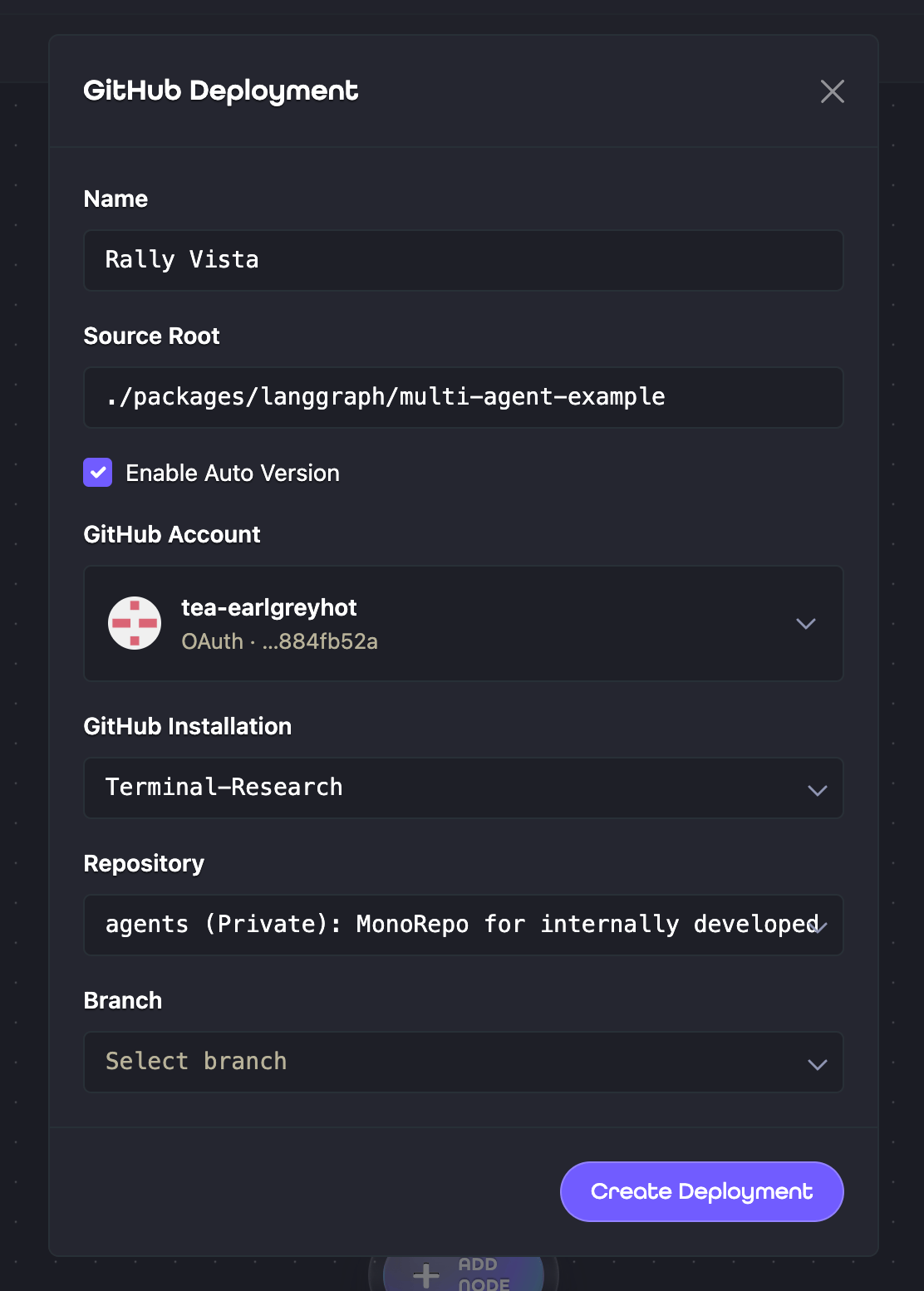
Aion Remote
Use Aion Remote when you run the Aion Runtime on infrastructure you control. This option keeps your existing hosting and operations while connecting the open-source SDK server to Aion’s control plane. In the Remote Deployment dialog, select Aion Server Runtime and provide the server’s base URL. Selecting A2A-Compatible Server creates the separate A2A Remote type instead.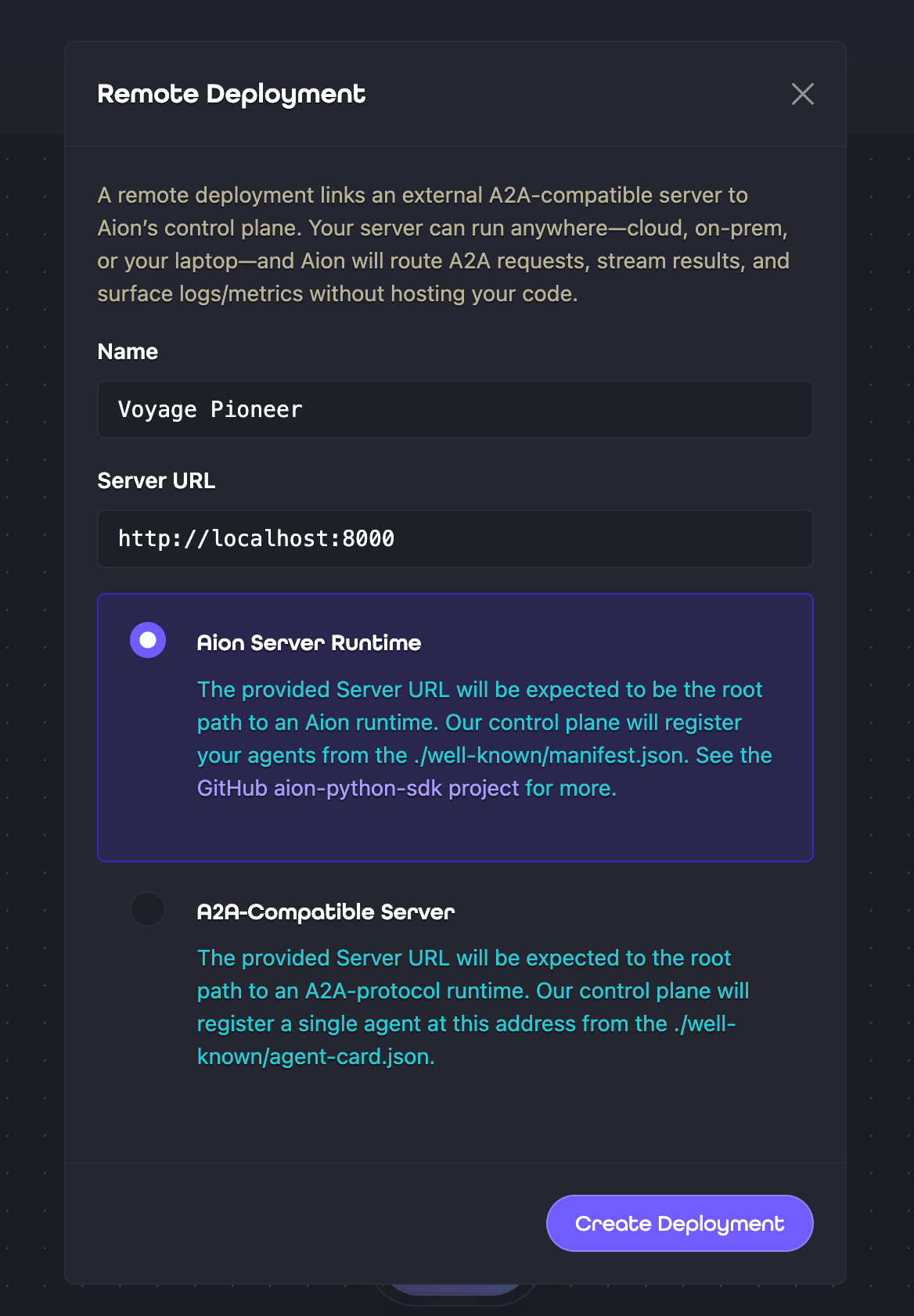
/.well-known/manifest.json from that URL to discover the application endpoints exposed by the runtime.
One server can describe multiple endpoints, allowing the Deployment Ion to make multiple implementations available
to the Project.
Aion does not build, scale, or restart this server. You are responsible for keeping the URL available and deploying
new revisions.
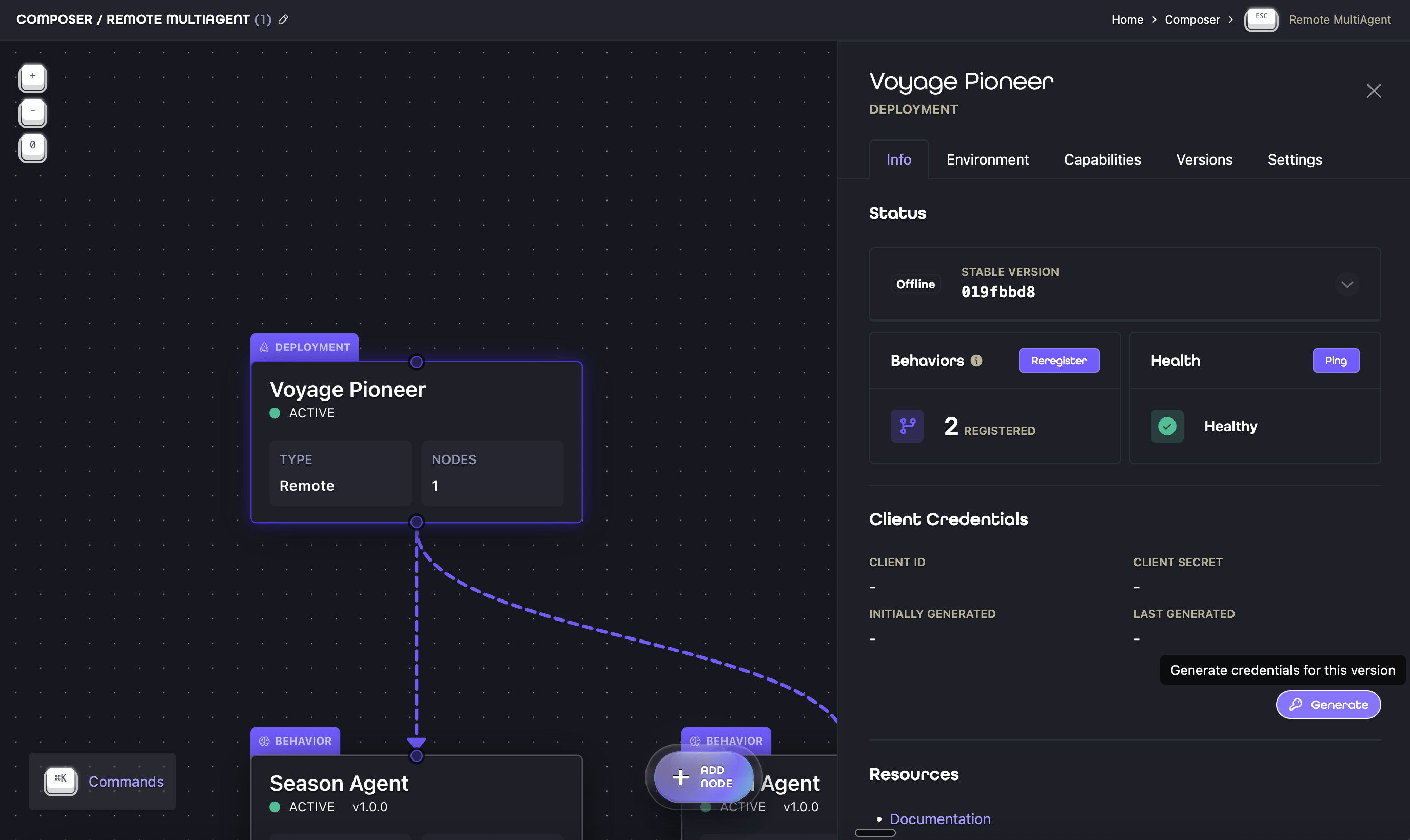
Each Aion Remote version uses a client ID and client secret to authenticate its SDK server to Aion. Generate the
credentials from the Deployment Ion’s Info tab, save the secret when Aion displays it, and configure the runtime with
AION_CLIENT_ID and AION_CLIENT_SECRET.
A2A Remote
Use A2A Remote when an existing service already implements the A2A Protocol and should remain on its current infrastructure. The service does not need to use an Aion SDK. Provide the service’s base URL. Aion reads its/.well-known/agent-card.json and treats the service as one remote
implementation. Aion can route A2A requests to the endpoint and inspect its health, but it does not build or operate
the service.
Choose Aion Remote for an Aion Runtime that exposes multiple application endpoints. Choose A2A Remote to connect one
standalone A2A service.
Environment variables and protected values
For an Aion GitHub Deployment, Composer can store a deployment environment variable as either a literal or a protected value. Protected values are encrypted at rest and cannot be displayed after they are saved. When Aion deploys the workload, it securely installs each protected value into the container environment. Inside the container, protected values are available as ordinary environment-variable strings. Application code and logging tools can read them, so do not log or persist sensitive environment variables. Aion does not install deployment environment variables for Aion Remote or A2A Remote. Configure those self-managed process environments through your own infrastructure.Versions and release channels
A Deployment Ion can produce multiple versions over time. Aion GitHub creates versions from repository activity, while Aion Remote and A2A Remote versions are added by registering a new server URL. Behavior Ions follow one of two release channels:- Stable selects the version intended for normal use.
- Beta selects a version being evaluated and falls back to Stable when no Beta version is available.
How Deployment Ions relate to other Ions
The solid arrows show Sequence execution. The dashed arrow shows registration and availability:- The Deployment Ion deploys or connects the service and registers the Behaviors that service exposes.
- When the service first registers, Aion discovers those Behaviors and adds the corresponding Behavior Ions to the Deployment’s owning Project. Registered Behaviors can also be added to other eligible Projects.
- The Distribution Ion starts execution by passing the request into the first Behavior Ion in its Sequence.
- Execution continues only through the Sequence’s Behavior Ions. The Behavior Ion in the terminal position handles the final step.
What to do next
- To add a Deployment Ion to a Project, read Composer.
- To control how an implementation participates in a Sequence, read Behavior Ions.
- To run an Aion SDK server, start with the Python SDK.
- To connect an existing agent-native service, read the A2A Protocol overview.