

Usage
Open Resources > Models, select a model, and open Usage to see copyable examples populated with that model’s exact ID.Choose a client
Make an HTTP request
Copy a model ID from Resources > Models. Model availability and pricing can change, so use an ID from the live catalog instead of guessing a provider model name. ReplacePASTE_MODEL_ID_HERE with the model ID you copied:
Use an SDK adapter
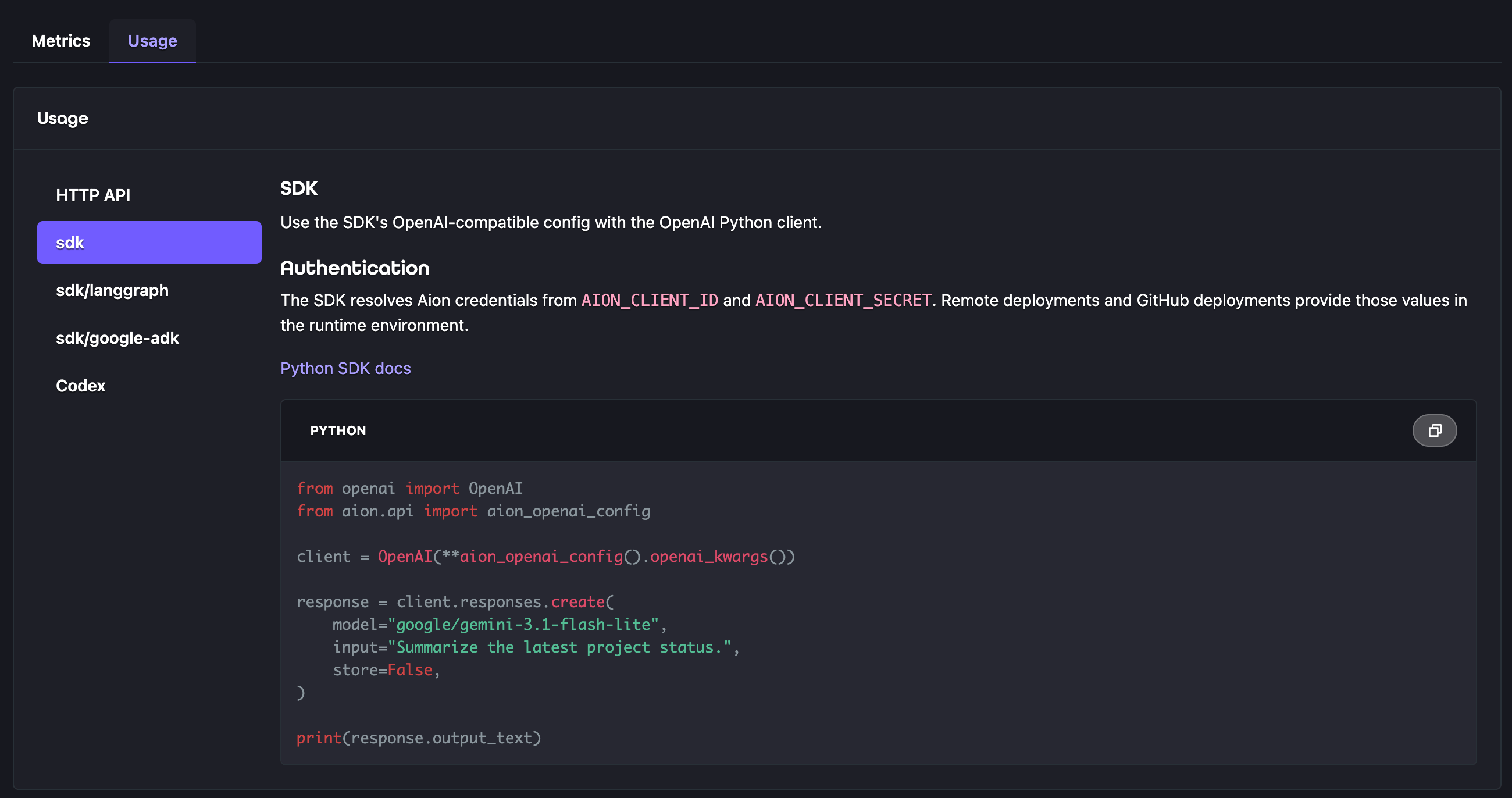
The Python SDK example usesaion_openai_config() with the OpenAI client. Framework adapters provide model objects
configured for the same service:
- LangGraph Model Service uses
aion_chat_model(). - Google ADK Model Service uses
aion_lite_llm(). - Aion API provides shared authentication and Model Service configuration.
llm field in
aion.yaml lets a deployer choose a model from the live catalog.
Application code passes that selected model ID to its SDK adapter.
Configure Codex
SetAION_API_KEY, then add Aion as a provider in your Codex home configuration:
Provider preferences and service tiers
Both creation endpoints accept optionalprovider and service_tier fields. These request options do not require a
different model ID or a server configuration change.
Provider preferences
Setprovider.sort to choose the order in which Model Service tries providers for your selected model:
Low latency helps a response start sooner. High throughput helps long responses finish sooner. These preferences
do not guarantee response times or select a different model.
Omit
provider.sort to retain the default provider selection. A provider sort option does not enable a different
service tier.
Service tiers
Set oneservice_tier string per request, not an array. Model Service maps these names to each provider’s capacity
options:
Availability and rates depend on the model and provider. Responses report
fast as priority.
With fallbacks enabled, fast can use standard capacity. ultrafast can use fast, then standard capacity.
If flex endpoints exist, flex does not fall back to standard capacity. Without flex endpoints, it uses standard rates.
Check the response’s service_tier for the actual tier, or null if unavailable. The actual tier determines the
applicable Aion rate.
SDK examples
Useservice_tier as a keyword argument and extra_body for the provider object:
provider and service_tier at the top level of the JSON body, not inside an extra_body object.
If your client’s type definitions do not accept a newer tier value, put service_tier in extra_body instead.
API behavior
Use
stream: true or send Accept: text/event-stream to stream either creation endpoint. The Responses endpoint
emits named events such as response.output_text.delta and response.completed. Chat Completions emits data frames
and ends with [DONE].
The Responses endpoint is intentionally stateless. Set store to false, include the full conversation context in
each request, and do not send stateful fields such as previous_response_id, conversation, or
background: true.
Response cost
When Aion can calculate a price,usage.cost contains Aion’s USD quote for the returned result.
The quote uses the applicable organization policy and the effective service tier.
This applies to Chat Completions and Responses.
It also applies to SSE events that contain usage.
For Chat Completions streams, request stream_options: {"include_usage": true} to receive usage.
An event without usage does not receive a cost field.
If the quote is unavailable, Aion omits usage.cost and preserves the output.
An absent cost does not mean a free request.
The quote does not include other billable attempts and is not a final settlement receipt.
Policy changes or later usage information can change the settled charge.
Use Metrics and Aion billing records for settled charges in credits.